
More Guides
The back of a modern DAC offers a row of sockets that all carry the same thing — a stream of digital audio samples — and yet they are not interchangeable. They differ in the maximum resolution they will pass, in whether they electrically isolate the two devices, and in the single most consequential difference of all: which end of the link owns the clock that determines when each sample is converted. This guide takes them one at a time and ends with a practical order of preference.
S/PDIF Coaxial
Coaxial S/PDIF sends a self-clocking serial stream down a single 75 Ω cable terminated in an RCA connector. Because the clock is embedded in the data, the receiving DAC has to extract it — usually with a phase-locked loop — and any timing irregularity in the transmitted stream or the cable can appear as jitter at the point of conversion.
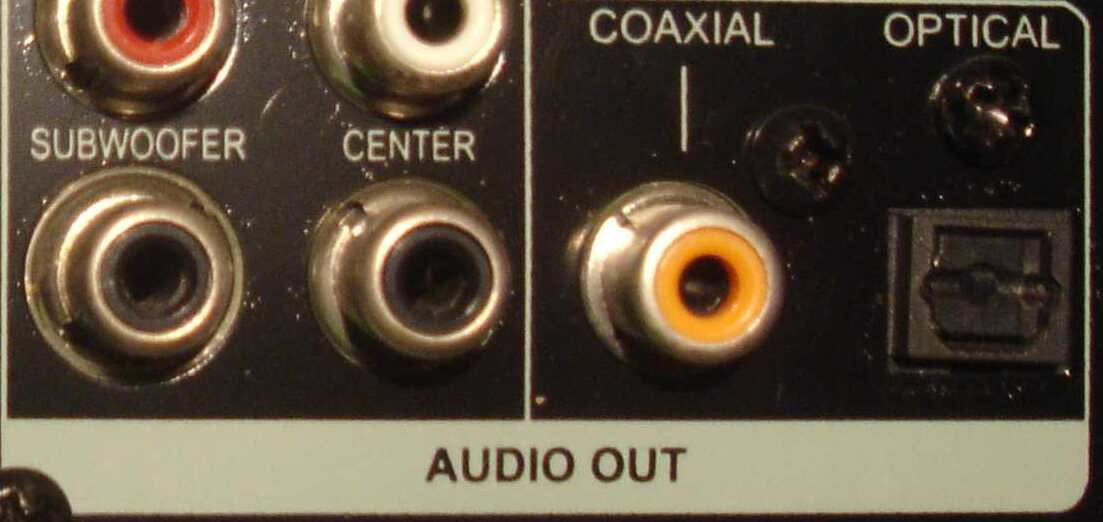
In practice, coaxial is a robust and capable connection. It comfortably handles 24-bit/192 kHz and often more, it is electrically simple, and its bandwidth is generous. Two details matter: the cable should be genuine 75 Ω video-grade coax rather than a repurposed analogue interconnect, because impedance mismatches cause reflections; and because the connection is electrically continuous, it carries ground between the two devices and can therefore participate in a ground loop.
S/PDIF Optical (TOSLINK)
Optical S/PDIF carries the same data format over light, through a plastic or glass fibre. Its defining advantage follows immediately: because nothing conductive crosses the link, it provides complete galvanic isolation. No ground connection, no ground loop, no electrical noise conducted from a computer or television into the DAC. When you have a hum problem between two mains-powered devices, optical often solves it outright.
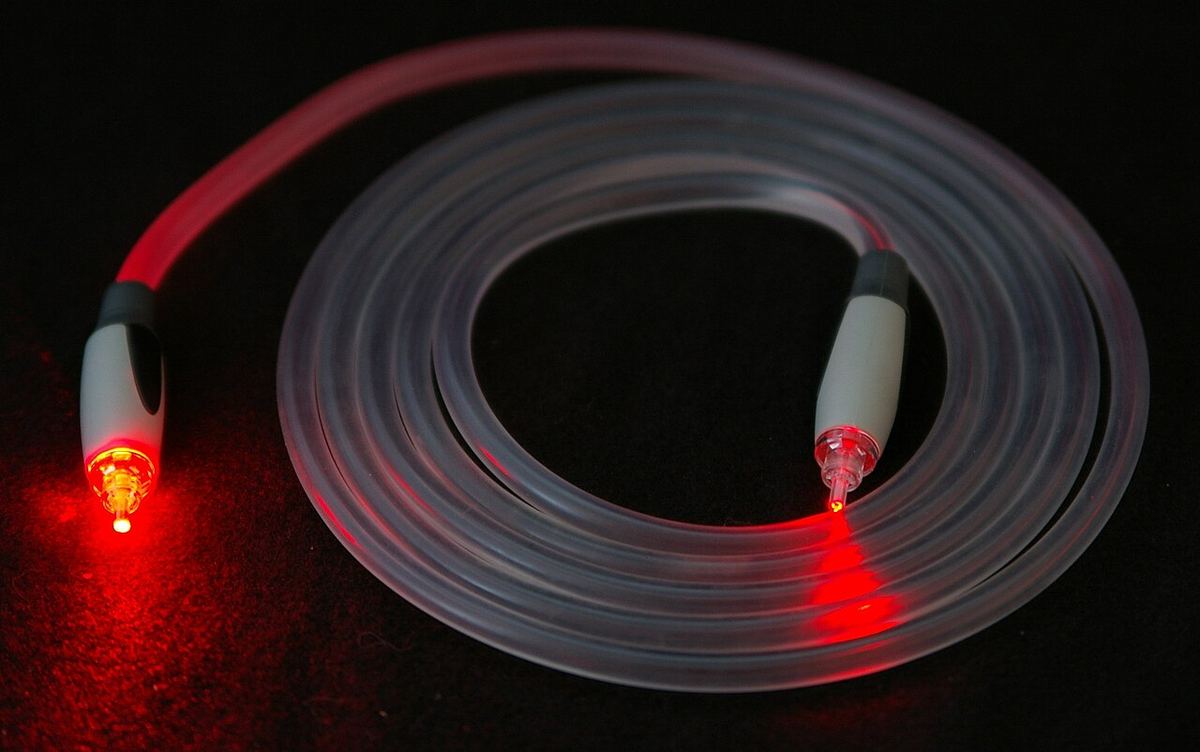
The trade-offs are bandwidth and timing. The optical transmitter and receiver add conversion steps, and cheap plastic fibre limits bandwidth — most TOSLINK implementations top out at 24-bit/96 kHz, with some reaching 192 kHz over short, good-quality runs. Optical also has a reputation for higher jitter, largely from the rise and fall times of the optical receiver, though a DAC with good reclocking makes this a non-issue.
When to Reach for Optical
Choose optical when the source is a computer, television or games console, when the two devices are on different mains circuits, or when you have an audible hum you have traced to a ground loop. Choose coaxial when you need reliable 192 kHz support or beyond and ground noise is not a problem. If a DAC has good galvanic isolation on its USB input, that combination gives you both.
AES/EBU
AES/EBU (formally AES3) is the professional cousin of S/PDIF: the same fundamental data format, but sent balanced over a 110 Ω twisted pair with XLR connectors, at a higher signal level. The balanced transmission gives it excellent common-mode noise rejection and allows much longer cable runs — tens of metres rather than a few — which is why it dominates in studios.
For domestic use, AES/EBU is a solid choice where both devices offer it. It handles high sample rates comfortably, the locking XLR connector is mechanically superior to RCA, and the balanced line is more robust in electrically noisy environments. It does not, however, solve the ground-loop problem: like coaxial, it is an electrical connection with a ground path. And like coaxial, the DAC still has to recover the clock from the stream.
USB Audio, and Why Asynchronous Changed Everything
USB is the most capable of the common connections and the one that most repays understanding. Early USB audio used adaptive mode, in which the DAC slaved itself to the computer's timing — an arrangement that deserved its poor reputation, because a general-purpose computer is a poor master clock. Modern implementations use asynchronous mode, and the relationship is reversed: the DAC's own clock governs conversion, and it tells the computer when to send more data.
That inversion is the key point. In asynchronous USB, the timing of the source stops mattering, because the DAC is no longer trying to follow it — buffering absorbs the arrival jitter and the DAC's local clock determines when samples are converted. This is why asynchronous USB is generally the best-performing input on a DAC that has one, and why it supports the highest formats: 32-bit/768 kHz PCM and DSD512 are within reach, far beyond what S/PDIF carries.
USB's weakness is electrical. It is a computer bus carrying power and ground alongside data, and a computer is a noisy environment. Good DACs address this with galvanic isolation on the USB input; where they do not, the noise can find its way into the analogue stages. If you are choosing a DAC for USB use, isolation on that input is worth looking for specifically.
HDMI and I²S
HDMI carries audio alongside video and is essential for multichannel formats and for anything routed through a television or AV receiver. For two-channel hi-fi, it is usually a convenience rather than a preference: the audio clock is derived from a link designed principally for video, and the results depend heavily on implementation. Where a source only offers HDMI, it works perfectly well; where alternatives exist, they are usually simpler.
I²S is a different proposition. Inside almost every digital source and DAC, audio moves between chips on an I²S bus, which carries data, bit clock and word clock on separate lines. Because the clock never has to be embedded in and recovered from the data, the jitter problem that S/PDIF creates simply does not arise. Some manufacturers expose this bus externally, usually on an HDMI-style connector, so a matching transport and DAC can be linked I²S to I²S.
The catch is that there is no standard for the pinout. Different manufacturers assign the signals differently, so an I²S connection between two brands may not work — and in some cases can be electrically unhappy. Treat external I²S as an excellent option within a manufacturer's own ecosystem and check compatibility carefully otherwise.
The clock question in one line: with S/PDIF, AES/EBU and HDMI, the DAC recovers timing from the incoming stream; with asynchronous USB and I²S, timing comes from a dedicated clock. That is the main reason those two tend to perform best — though a DAC with strong reclocking narrows the gap considerably on every input.
Choosing an Input in Practice
Once the properties are clear, a sensible default order emerges — with the caveat that a well-implemented lesser input beats a poorly-implemented better one every time.
- Computer or phone as source: asynchronous USB, preferably into a DAC with galvanic isolation. Optical if you have ground noise you cannot otherwise fix.
- Network streamer as source: whichever of USB, coaxial or AES/EBU the pair supports best; the streamer has already removed the computer from the equation.
- CD transport: coaxial or AES/EBU; I²S if the transport and DAC are from the same manufacturer and designed for it.
- Television or console: optical, which isolates as well as connects. HDMI if you need multichannel or lip-sync handling.
- Long cable run: AES/EBU for its balanced transmission, or optical if isolation matters more than bandwidth.
A last practical note on cables: for coaxial use true 75 Ω cable; for AES/EBU use 110 Ω cable rather than a microphone lead, which is a different impedance; for USB, a decent standard cable of a sensible length is all that is required. Digital cable choice is a matter of meeting the specification, not of exceeding it.
The Bandwidth Arithmetic
The resolution limits of each connection make more sense with the underlying data rates in view. Stereo PCM at 16-bit/44.1 kHz carries about 1.4 Mbit/s of audio. At 24-bit/192 kHz it is about 9.2 Mbit/s, and at 32-bit/768 kHz about 49 Mbit/s. Stereo DSD512 runs at about 45 Mbit/s.
S/PDIF's overhead pushes the line rate well above the audio rate: each sample period carries 64 bits of frame data, and the biphase-mark encoding that embeds the clock doubles the transition rate again. At 192 kHz, the link must handle up to about 24.6 million transitions per second, which is why inexpensive optical transmitters and plastic fibre struggle to reach it reliably. USB 2.0 High Speed, at 480 Mbit/s, carries even the highest audio formats in around a tenth of its capacity, which is why the format ceiling on USB is set by the DAC rather than the cable.
DSD Over S/PDIF and USB
DSD is not PCM, but it can be carried over PCM connections using DoP (DSD over PCM), which packs DSD bits into PCM frames along with marker bits that tell the DAC to treat the stream as DSD. DSD64 travels as 24-bit/176.4 kHz PCM, so a coaxial or AES/EBU input that supports 176.4 kHz can usually carry it — if the DAC recognises DoP. DSD128 needs 352.8 kHz, which most S/PDIF inputs do not accept.
Over USB, DoP works the same way, and many DACs also accept native DSD through a dedicated driver, which avoids the packing overhead and reaches higher DSD rates. If DSD playback matters to you, check which method and which rates both the source software and the DAC support; a mismatch usually produces silence or loud noise rather than degraded sound, which at least makes it easy to diagnose. Turn the volume down before the first test.
Televisions and Optical: A Common Surprise
Optical is the natural connection from a television to a DAC or stereo amplifier, but it comes with a limitation that catches many people out. S/PDIF can carry only two channels of uncompressed PCM. Multichannel sound over optical is possible only as a compressed bitstream such as Dolby Digital, which a stereo DAC cannot decode — the result is silence or noise.
The fix is in the television's audio settings: set the digital output to PCM or stereo so it downmixes to two channels before sending. For lossless multichannel audio, optical is the wrong connection altogether; that requires HDMI, typically via the television's eARC port into an AV receiver.
When a Digital Link Misbehaves
Digital connections tend to fail obviously, which makes problems easier to trace than their analogue equivalents.
- No lock, no sound: the sample rate or format is probably unsupported by that input. Check the source's output settings and the DAC's specification for that particular input.
- Clicks or dropouts: suspect the cable first — a non-75 Ω coax, an over-long or kinked optical lead — then any rate switching happening mid-track.
- Sound present but not bit-perfect: a computer's operating system may be resampling or applying volume. Use the player's exclusive or bit-perfect mode, set the system volume to maximum, and confirm the DAC's displayed sample rate matches the file.
- Hum or buzz with a computer source: a ground loop through the USB or coaxial connection. Optical, or a DAC with galvanic isolation on USB, usually removes it.
Quick Reference: Digital Connections Compared
| Connection | Typical Maximum | Clock Owner | Ground Isolated? |
|---|---|---|---|
| S/PDIF coaxial (RCA, 75 Ω) | 24-bit/192 kHz and above | DAC recovers from stream | No |
| S/PDIF optical (TOSLINK) | 24-bit/96 kHz, sometimes 192 kHz | DAC recovers from stream | Yes — fully |
| AES/EBU (XLR, 110 Ω) | 24-bit/192 kHz and above | DAC recovers from stream | No (but balanced) |
| USB (asynchronous) | 32-bit/768 kHz, DSD512 | DAC's own clock | Only if the DAC isolates it |
| HDMI | High, including multichannel | Recovered from the link | No |
| I²S (external) | Very high | Separate clock lines | No; pinout is not standardised |
Check your digital chain end to end
Enter your source, DAC and the rest of your system for a free analysis of format support, connection limits, and where the chain might be constraining you.
Run a Free Analysis →