
Digital audio is defined by two numbers: how often the signal is sampled (sample rate) and how finely each sample is measured (bit depth). Everything else — file format, lossless versus lossy, "hi-res" badges — is built on top of those two. Understanding what each controls separates meaningful resolution from marketing.
Sample Rate
Sample Rate (kHz)
The sample rate sets the highest frequency the signal can represent. By the Nyquist theorem, the captured bandwidth is half the sample rate: CD’s 44.1 kHz captures up to 22.05 kHz, comfortably beyond the ~20 kHz limit of human hearing. Higher rates (96, 192, 384 kHz) extend bandwidth into the ultrasonic — useful as production headroom and for gentler anti-alias filtering, but not audibly necessary for playback, since the extra content is above what anyone can hear.
Bit Depth
Bit Depth (bits)
Bit depth sets the dynamic range — the span between the quietest and loudest representable signal — at roughly 6.02 dB per bit. 16-bit yields about 96 dB of dynamic range (CD quality); 24-bit yields about 144 dB, far exceeding any listening room’s noise floor or any DAC’s actual performance. The practical value of 24-bit is production headroom — room to set levels and dither without audible noise — not a wider range you can actually hear at playback.
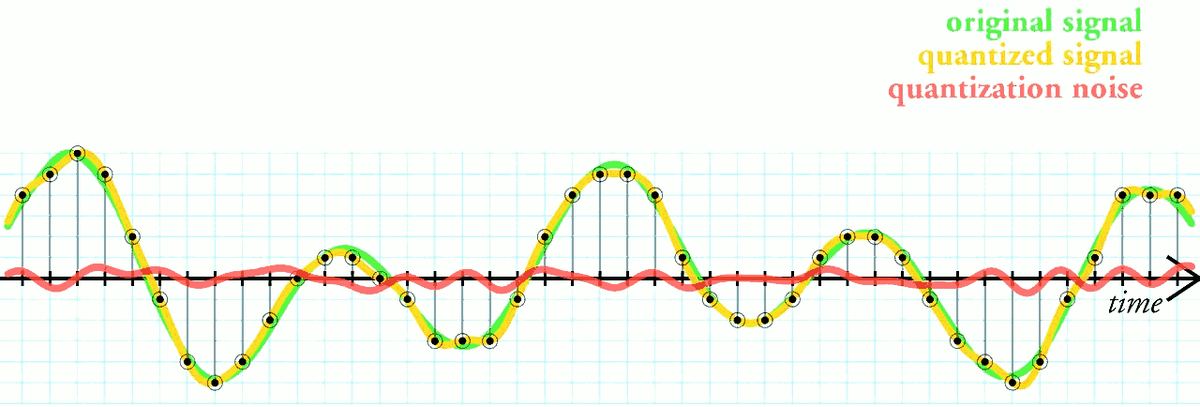
The math, simply: Dynamic range ≈ 6.02 × bit depth. Captured bandwidth = sample rate ÷ 2. 16-bit/44.1 kHz already exceeds the limits of human hearing in both dimensions. Higher numbers help during recording and mastering; their playback benefit is mostly theoretical.
Lossless vs Lossy
Lossless (FLAC, ALAC, WAV, AIFF)
Lossless formats reconstruct the original PCM data bit-for-bit. FLAC and ALAC compress the file (typically 40–60%) without discarding any audio data — they unpack to the exact original. WAV and AIFF are uncompressed PCM. For archival and critical listening, lossless is the standard: it guarantees you hear exactly what was on the master.
Lossy (MP3, AAC, Ogg Vorbis)
Lossy formats permanently discard data the encoder judges inaudible, achieving much smaller files. At high bitrates (256–320 kbps MP3, 256 kbps AAC), the loss is transparent to most listeners on most material. At low bitrates, artefacts (smearing, pre-echo, dulled high frequencies) become audible. Lossy is ideal for portable and bandwidth-limited use; it is not appropriate for archiving or repeated re-encoding.
PCM vs DSD
PCM vs DSD
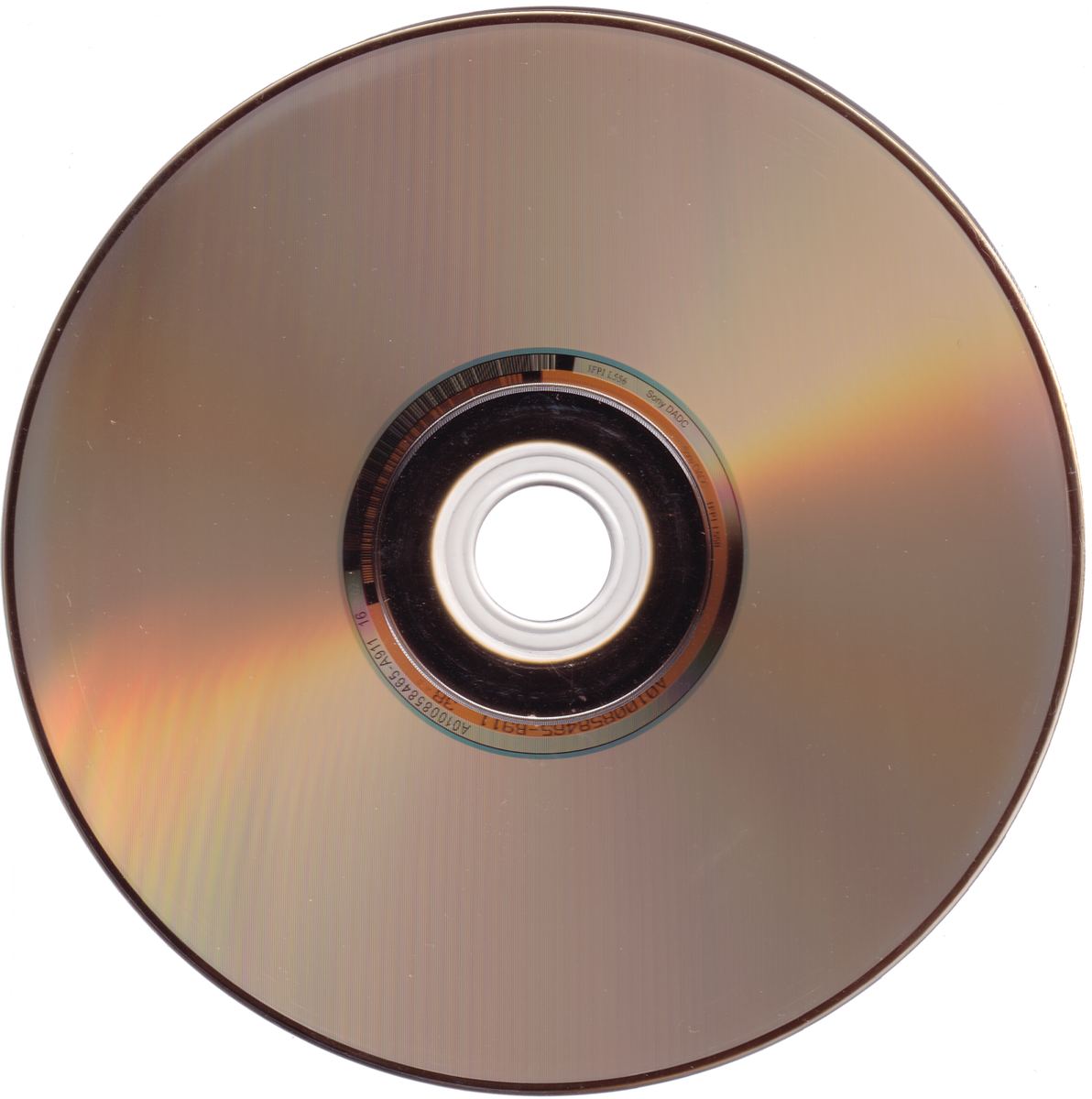
PCM (pulse-code modulation) measures amplitude at each sample — the dominant format for production and playback. DSD (Direct Stream Digital), used on SACD, encodes audio as a 1-bit stream at very high rates (2.8 MHz for DSD64 and up). DSD can sound excellent but is harder to edit and process, so most DSD is converted to PCM somewhere in the chain anyway. Neither is inherently superior at playback; mastering quality matters far more than the encoding.
"High-Resolution" and MQA
"High-resolution audio" generally means anything exceeding CD’s 16-bit/44.1 kHz — commonly 24-bit/96 kHz or 24-bit/192 kHz. The badge guarantees the container, not the source: a hi-res file is only as good as the master it was made from, and an upsampled CD master gains nothing. MQA is a proprietary format that folds high-res information into a smaller file using a licensed decoder; it remains controversial because it is lossy and requires compatible hardware. The single biggest determinant of how a recording sounds is the quality of the master, not its resolution number.
Dither and Noise Shaping
The 96 dB figure for 16-bit audio understates what CD can actually do, because of a technique called dither. When a signal is reduced to a fixed number of bits, the rounding error is correlated with the music: on very quiet passages and fade-outs it becomes a gritty, signal-dependent distortion. Adding a tiny amount of random noise before the final rounding breaks that correlation. The distortion turns into a constant, very low-level hiss, and detail below the last bit remains audible through it rather than disappearing.
Noise shaping goes one step further. Instead of spreading the dither noise evenly across the spectrum, it pushes most of it up toward frequencies where the ear is least sensitive. The total noise is the same, but the perceived noise floor drops considerably — enough that a well-mastered 16-bit release can achieve a subjective dynamic range in the region of 110 dB or more in the frequencies that matter most. That is beyond the quiet-room-to-pain range most domestic listening ever uses.
Why Recordings Are Still Made at 24 Bits
If 16 bits is enough for playback, the case for 24 bits lies in the studio. Recording engineers leave generous headroom — often keeping peaks 12 to 18 dB below full scale — so that an unexpected transient does not clip. At 16 bits that headroom would come straight out of the usable dynamic range; at 24 bits it costs nothing audible. Mixing and processing then happen at 32-bit floating point or higher, where gain changes, EQ and effects introduce no meaningful rounding error.
Only at the end is the finished master reduced to the release format, with dither applied once. This is why a 24-bit download of a well-made master and a properly dithered 16-bit version of the same master are, in controlled listening, very hard to tell apart: the extra bits mostly carry the studio's unused headroom and a noise floor that sits below the recording's own room and microphone noise.
What Blind Tests Have Found
The question of whether high-resolution audio is audible has been studied repeatedly, and the results are more nuanced than either side of the argument tends to admit. A widely cited 2007 study by Meyer and Moran in the Journal of the Audio Engineering Society inserted a 16-bit/44.1 kHz conversion into the playback of high-resolution discs; across hundreds of trials, listeners could not reliably identify when it was in the chain. A 2016 meta-analysis by Joshua Reiss, pooling many published experiments, found a small but statistically significant ability to discriminate high-resolution audio, which was stronger when listeners had been trained for the task.
Read together, the sensible conclusion is that any audible difference is subtle, depends on the listener and the material, and is far smaller than the differences between masters, speakers or rooms. It is a reasonable thing to enjoy; it is not a reason to replace a library of well-mastered CD-quality files.
Getting Bit-Perfect Playback from a Computer
The format of a file only matters if it reaches the DAC unchanged. Computers and phones often resample everything to a single system rate and mix in system sounds on the way. To get the file's own resolution to your DAC:
- Windows — use a player that supports WASAPI exclusive mode or ASIO, which bypasses the system mixer. In shared mode, Windows converts everything to the rate set in the sound control panel.
- macOS — the system plays at whatever rate is selected in Audio MIDI Setup unless your player switches it automatically to match each file; many dedicated music players offer this.
- Streaming apps — check that the lossless or high-resolution setting is switched on, and that volume normalisation, crossfade and EQ are off if you want unaltered output.
- Confirm at the DAC — most DACs display or indicate the incoming sample rate. If it never changes from 48 kHz whatever you play, something upstream is resampling.
File Sizes and Storage
The arithmetic is straightforward and useful when planning a library. Uncompressed stereo audio at 16-bit/44.1 kHz runs at 1,411 kbps, about 10 MB per minute. At 24-bit/96 kHz it is 4,608 kbps, about 33 MB per minute, and at 24-bit/192 kHz about 66 MB per minute. FLAC typically reduces those figures by 40–60% depending on the music.
In practice, a CD-quality FLAC album of around 50 minutes takes roughly 250–350 MB, so a thousand albums fit in about 300 GB. The same library in 24/96 FLAC would need around a terabyte. Storage is cheap enough that either is manageable — but it is worth keeping at least one backup on a separate drive, because a music library assembled over years is much harder to replace than the disk it sits on.
Quick Reference: Bit Depth and Sample Rate
| Format | Dynamic Range | Bandwidth | Typical Use |
|---|---|---|---|
| 16-bit / 44.1 kHz | ~96 dB | to 22.05 kHz | CD, the transparency baseline |
| 24-bit / 96 kHz | ~144 dB | to 48 kHz | Hi-res streaming and downloads |
| 24-bit / 192 kHz | ~144 dB | to 96 kHz | Studio masters, archival |
| DSD64 | ~120 dB (audio band) | to ~50 kHz usable | SACD, audiophile downloads |
| 320 kbps MP3 | Source-limited | to ~20 kHz | Transparent portable use |
Check your digital playback chain
Enter your source, streamer, DAC, and amplifier to get a full signal-chain analysis including resolution support and interface compatibility across your system.
Run a Free Analysis →