
More Guides
A phono cartridge converts groove modulation into a tiny electrical signal, and how precisely the stylus sits in the groove determines how cleanly it tracks. Setup is the process of positioning and loading the cartridge so the stylus traces the groove the way the cutting lathe intended. Each adjustment addresses a specific geometric or mechanical relationship; get them right and tracking distortion drops, channel balance improves, and the cartridge delivers what it is capable of.
Tracking Force (VTF)
Vertical Tracking Force (grams)
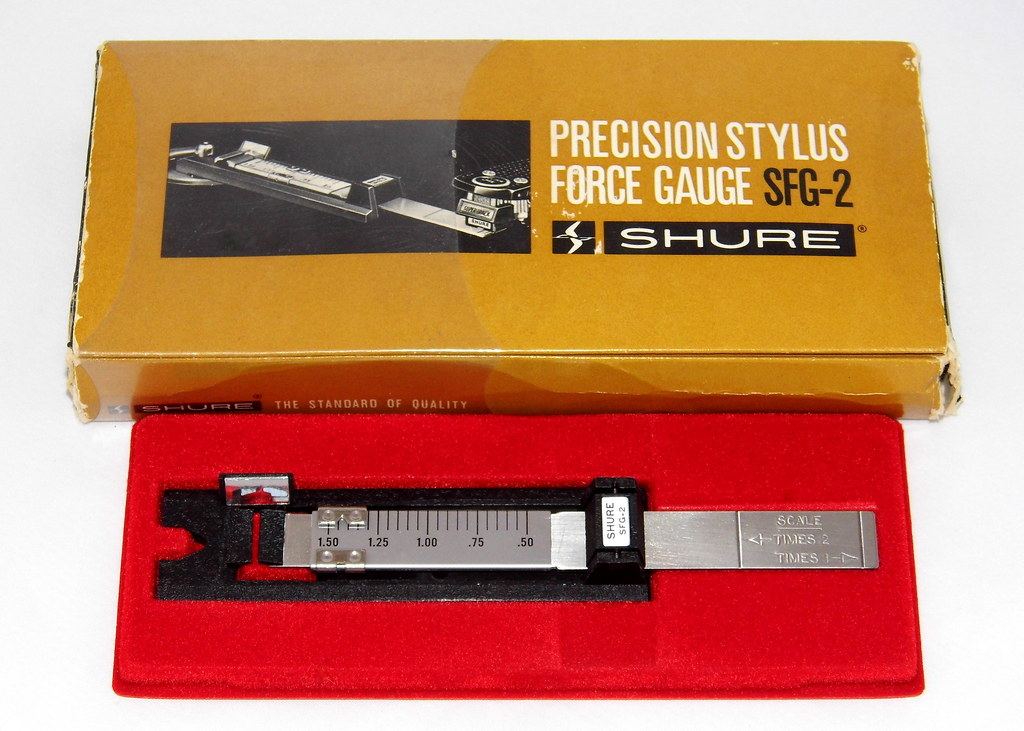
VTF is the downward force the stylus exerts on the groove, set by the tonearm counterweight and confirmed with a stylus force gauge — never by the dial alone. Every cartridge has a manufacturer-specified range; set it in the middle to start. Too light, and the stylus skips and mistracks, gouging the groove and producing distortion; too heavy, and it sounds dull and wears the record faster. A digital gauge reading to 0.01 g is the single most useful setup tool.
Alignment Geometry
Overhang and Offset Angle
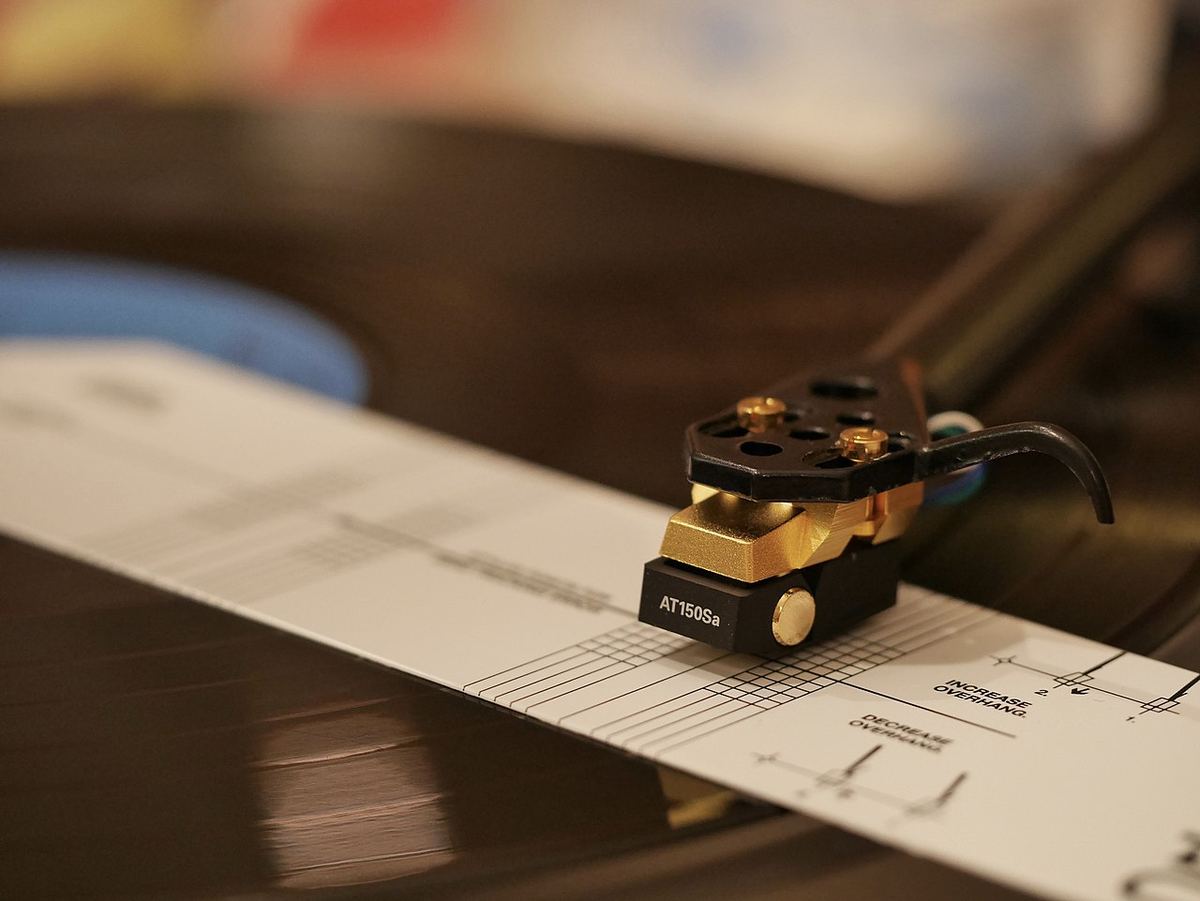
A pivoted tonearm traces an arc across a record cut by a linear lathe, so the stylus can only be perfectly tangent to the groove at two points (the null points). Alignment sets the overhang (how far the stylus extends past the spindle) and offset angle to place those null points optimally, minimising tracking-angle error and the distortion it causes. Use a printed alignment protractor and adjust the cartridge in the headshell slots until the stylus aligns at both null points.
Baerwald, Löfgren, and Stevenson
These are different alignment geometries, each placing the two null points differently to optimise a different region of the record. Baerwald (Löfgren A) minimises distortion across the whole side and is the most common default. Löfgren B reduces average distortion slightly at the cost of higher distortion at the extremes. Stevenson places a null point at the inner groove to favour the run-out, where tracking is hardest. For most listeners, Baerwald is the right starting choice.
Anti-Skate
Anti-Skate Force
The offset angle and friction create a skating force that pulls the arm inward toward the spindle, loading the inner groove wall more than the outer. Anti-skate applies a small counter-force to balance stylus pressure between the two channels. Set it roughly equal to the tracking force as a starting point, then fine-tune by ear (balanced channels, clean tracking on loud passages) or with a test record. Too much or too little anti-skate skews channel balance and increases distortion on one wall.
VTA / SRA and Azimuth
Vertical Tracking Angle / Stylus Rake Angle
VTA is set by the tonearm’s height at the pivot, which tilts the cartridge and changes the stylus rake angle — the angle at which the stylus contacts the groove relative to the cut angle (nominally 92°). Start with the arm tube parallel to the record surface. Raising or lowering the pivot shifts tonal balance: too low (tail down) tends toward dull and thick; too high tends toward thin and bright. VTA matters most with line-contact and microridge styli; conical styli are largely insensitive to it.
Azimuth
Azimuth is the side-to-side tilt of the stylus — it should be perpendicular to the record so the stylus sits symmetrically in the groove. Incorrect azimuth degrades channel separation and skews the stereo image. Set it visually (stylus vertical, viewed from the front) or, more precisely, by measuring crosstalk with a test record and adjusting for the best left/right separation. Many tonearms allow azimuth adjustment at the headshell or arm collar.
Order of operations: Set tracking force first, then alignment (overhang/offset) with a protractor, then anti-skate, then VTA/SRA, and finally azimuth — and recheck tracking force at the end, since some adjustments interact. Work methodically: changing one parameter can shift another, so a second pass is normal.
The Tools You Actually Need
Cartridge setup needs a small kit, most of it inexpensive:
- A digital stylus force gauge reading to 0.01 g — the single most useful item, and inexpensive.
- An alignment protractor made for your tonearm's mounting distance (pivot-to-spindle). Generic printable protractors work well if printed at exactly 100% scale; check the printed scale bar with a ruler.
- A small bubble level for the platter and headshell.
- Correctly sized screwdrivers or hex keys, and ideally non-magnetic ones, since cartridge magnets grab steel tools.
- Good light and a magnifier — a jeweller's loupe or phone camera zoom makes seeing the stylus tip against protractor lines far easier.
- Optional: a test record with tracking, channel identification and anti-skate bands, for checking the result.
Level the Turntable First
Every adjustment that follows assumes the platter is level. A turntable that tilts sideways adds a gravitational component to the skating force, and one that tilts front-to-back changes how the arm settles. Put a bubble level on the platter (with the mat on) and check it in two directions at right angles, adjusting the turntable's feet or the shelf until it reads level both ways. It is also the moment to make sure the turntable sits on a stable, footfall-isolated surface — the stands and isolation guide covers this.
Setting Tracking Force Step by Step
Most tonearms with a calibrated counterweight dial follow the same procedure:
- 1. With anti-skate set to zero and the stylus guard removed, lift the arm off its rest and rotate the counterweight until the arm floats level on its own, neither rising nor falling.
- 2. Return the arm to the rest. Hold the counterweight still and turn only the numbered ring until it reads zero.
- 3. Now turn the whole counterweight (ring and weight together) toward the pivot until the ring shows the target tracking force.
- 4. Confirm the result with a gauge. Place the gauge's platform at the same height as the record surface; on many arms the measured force changes if the stylus sits higher or lower than it does when playing.
Start in the middle of the cartridge maker's recommended range. If you hear mistracking on loud, sibilant passages, increase force in small steps toward the upper limit rather than going beyond it.
Common Mistakes
- Overtightening the mounting screws. Cartridge bodies, especially plastic ones, crack easily. Snug is enough.
- Swapped or reversed tonearm leads. The standard colour code is white for left positive, blue for left ground, red for right positive and green for right ground. A channel-identification track confirms left and right; a thin, phasey sound points to one channel's polarity being reversed.
- Using the wrong protractor. A protractor made for a different pivot-to-spindle distance places the null points incorrectly, however carefully you align to it.
- Forgetting anti-skate after a change. A new cartridge with different tracking force needs anti-skate reset to match.
- Leaving the cueing lift too high or too low. Too low and the stylus drags across the record when the arm is raised; too high and the stylus drops further than necessary when lowered.
When to Re-Check Your Setup
Setup is not permanent. Re-check tracking force and alignment whenever you move the turntable, after changing the platter mat (a thicker or thinner mat changes the arm height, and with it VTA and sometimes tracking force), after a stylus replacement, and as a routine check perhaps once a year. Each check takes minutes once the tools are to hand, and it protects both the stylus and the records it plays.
Quick Reference: Cartridge Setup Steps
| Adjustment | What It Controls | How to Set It |
|---|---|---|
| Tracking Force | Stylus downforce | Digital gauge, mid-point of spec range |
| Overhang / Offset | Tracking-angle error | Alignment protractor, both null points |
| Geometry | Where distortion is minimised | Baerwald for most setups |
| Anti-Skate | Channel balance, inward pull | ≈ tracking force, then fine-tune |
| VTA / SRA | Stylus rake, tonal balance | Arm parallel to start; adjust by ear |
| Azimuth | Stylus vertical tilt, separation | Stylus perpendicular; verify crosstalk |
Check your turntable chain compatibility
Enter your turntable, cartridge, phono stage, and amplifier to get a full signal-chain analysis including compliance matching, gain, and loading.
Run a Free Analysis →